I designed the Amara Project to help staff use AI tools safely when supporting students with resumes and job searches. Rather than relying on generic privacy guidelines, I created a hands-on simulation where learners identify and redact sensitive information from a realistic resume before using AI.
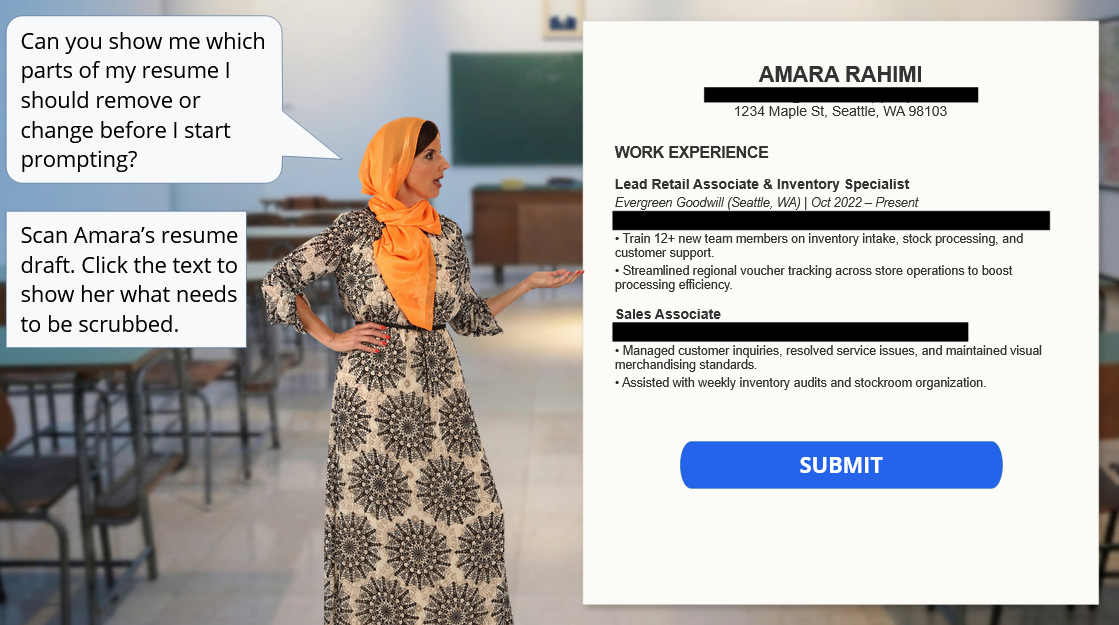
The interactive redaction workspace, built with Storyline 360
🔍 Analysis
As staff began using generative AI for tasks such as resume development and note summarization, I examined how they were using these tools, what information they were working with, and where privacy risks could arise.
Performance Gap
Staff needed to translate privacy guidance into a specific workplace behavior: identifying and removing sensitive information before using generative AI.
Analysis Findings
1. Staff were already using AI in their work
Staff were interested in using generative AI for tasks such as resume development, communication, and note summarization.
2. Sensitive information was part of everyday work
Staff regularly handled resumes, case notes, contact information, and other personally identifiable information (PII) that could be unintentionally exposed through AI tools.
3. Policy guidance didn’t translate into action
Existing privacy guidance explained what staff should avoid, but did not give them enough practice identifying and removing PII from realistic workplace documents.
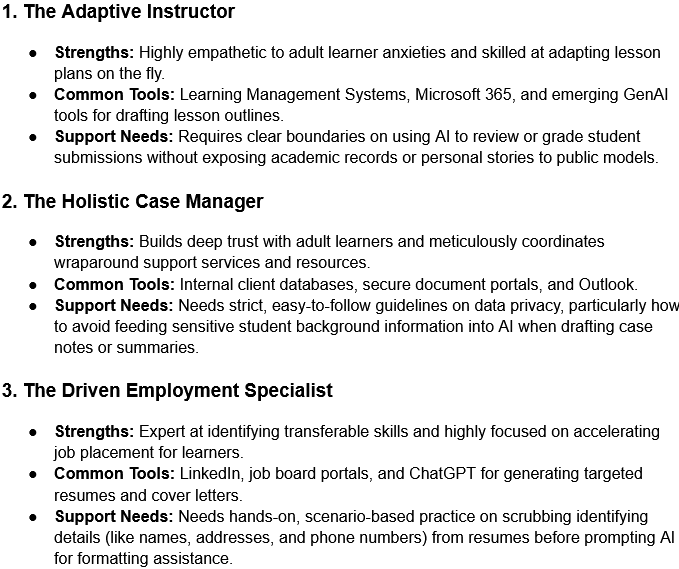
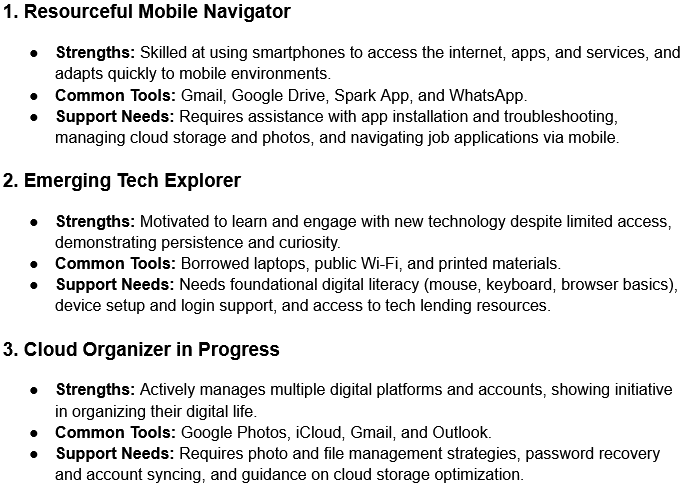
Learner Personas
I developed learner personas to account for differences in staff roles, technology use, digital confidence, and support needs. These personas helped shape the scenarios and level of guidance in the learning experience.
🎯 Learning Objectives
By the end of the experience, learners will be able to:
- Identify personally identifiable information (PII) in a student resume that should not be entered into a public generative AI tool.
- Distinguish sensitive personal information from job-related context that should remain in the document.
- Prepare a document for AI-assisted support by correctly redacting sensitive information.
📐 Design
Based on the analysis, I shifted the project from a broad AI assistant concept to a focused performance task: helping staff identify and remove sensitive information before using generative AI.
Design Pivot
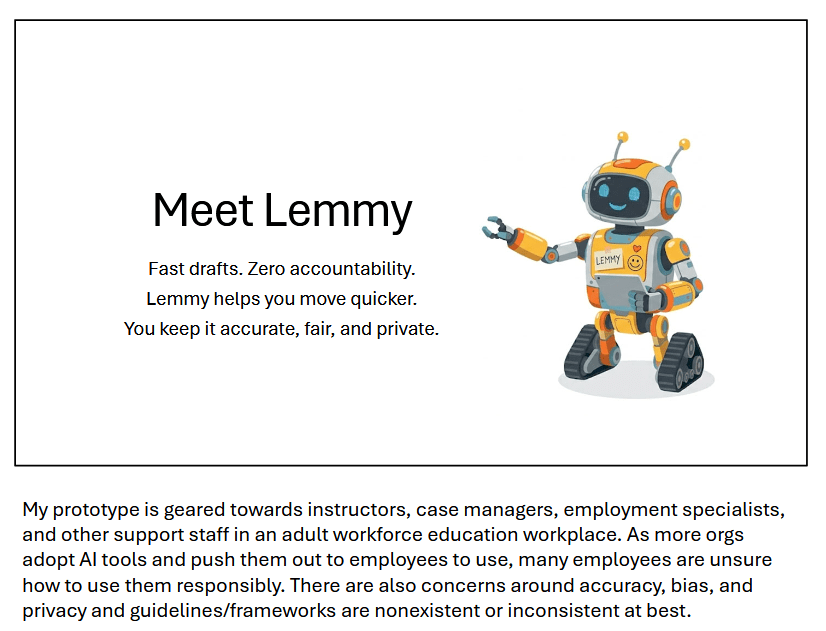
My initial concept, Project Lemmy, was a broad AI assistant simulator designed to support a range of everyday tasks. As I mapped the scenarios, I realized the concept was too broad to directly address the most important performance need: protecting sensitive information before it entered an AI tool.
I pivoted to the Amara Project, a focused redaction simulation built around a realistic workplace task.
Because the target behavior was applying privacy guidance to a real document, I designed the experience around hands-on practice rather than passive content review.
Design Decisions
1. Authentic workplace task
I built the interaction around a task staff actually perform—reviewing documents and identifying information that should not be shared with an AI tool.
2. Relevant context
I used realistic, localized details so the scenarios reflected the types of work and information staff encounter in their day-to-day roles.
3. Practice over recall
Instead of relying on traditional knowledge checks, learners interact directly with the document to identify and redact sensitive information.
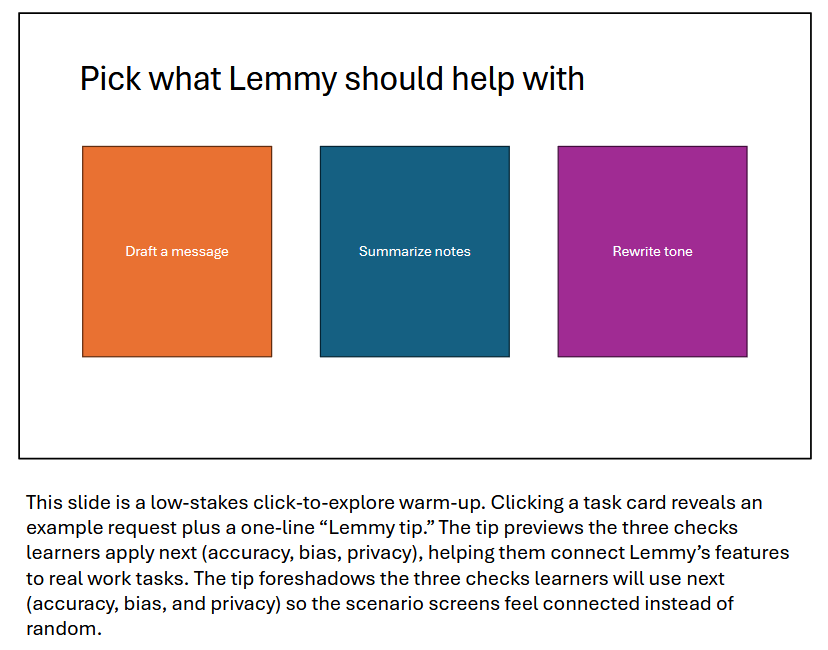
Early Prototype: Project Lemmy
This early prototype explored a broad AI assistant experience. Mapping the scenarios revealed that it did not provide enough focus on the specific privacy behavior identified during analysis, which led to the shift toward the Amara redaction simulation.
⚙️ Development
I developed the redaction simulation in Articulate Storyline 360, using object states, conditional triggers, and feedback layers to evaluate learner choices and provide targeted guidance.
Development Approach
1. State-Based Interaction
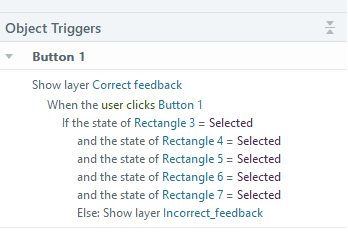
I used custom object states to track which pieces of sensitive information learners selected for redaction. Each state change represented a learner decision that could then be evaluated when they submitted the document.
2. Conditional Logic
Conditional triggers checked whether learners had identified all required PII before allowing them to progress. This made the interaction behave more like a real task than a standard multiple-choice knowledge check.
3. Targeted Feedback
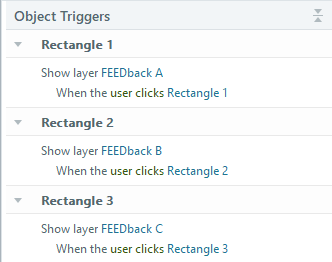
Feedback layers provided guidance when learners missed sensitive information, helping them reconsider their choices rather than simply showing a correct or incorrect response.
Storyline Interaction Logic
The Storyline trigger panel below shows how object states and conditional logic worked together to evaluate learner selections and determine which feedback layer appeared.
🚀 Implementation
I combined Rise 360 and Storyline 360 to create a single learning experience that moved learners from instruction into realistic practice without leaving the course.
Implementation Approach
1. Rise for Structure
I used Rise 360 to organize the instructional content, introduce key concepts, and guide learners through the experience in a clear sequence.
2. Storyline for Practice
I embedded the Storyline redaction simulation within the Rise course so learners could practice identifying and removing sensitive information directly within the learning flow.
3. Guided Progression
I used restricted navigation so learners completed the interactive practice before moving forward, helping ensure that the core performance task was not skipped.
Learner Flow
The experience followed a simple progression from instruction to application:
Instruction → Scenario → Redaction Practice → Feedback → Retry → Completion
Final Learning Experience
The final course used Rise 360 as the instructional framework and Storyline 360 for the high-interaction practice activity.
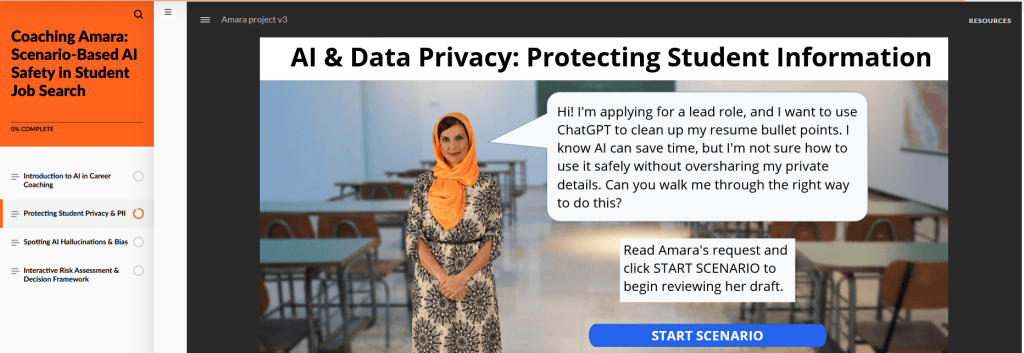
Final Rise 360 experience with the embedded Storyline redaction simulation.
📊 Evaluation
Because the project was developed as a prototype rather than deployed to a live learner population, I created an evaluation plan to measure learner reaction, learning, and future transfer to workplace behavior.
Evaluation Approach
1. Reaction
I would gather learner feedback on the relevance, clarity, and realism of the experience, including whether the scenario reflected situations they encounter in their work.
2. Learning
I would use the redaction activity itself to assess whether learners can correctly identify and remove sensitive information from a realistic document before using generative AI.
3. Behavior
In a live implementation, I would follow up after training to determine whether staff apply the same redaction practices in their actual workflows.
Confidence vs. Competence
I would measure learner confidence separately from demonstrated performance. A post-course survey could capture how prepared learners feel, while the scenario-based assessment would provide evidence of whether they can actually identify and redact sensitive information correctly.
Evaluation Artifact
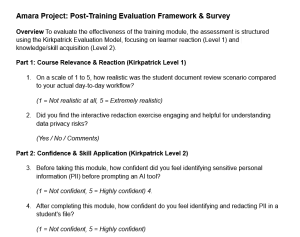
I created a post-course survey to collect learner feedback and self-reported confidence data that could be paired with performance results from the redaction activity.
Reflection
This project reinforced the importance of defining the performance problem before committing to a learning solution. My initial concept, Project Lemmy, explored a much broader AI-assistant experience, but the analysis showed that staff needed focused practice identifying and removing sensitive information before using AI. Shifting to the Amara redaction simulation made the experience more targeted and practical. If I continued developing the project, I would test the interaction with live learners, refine the feedback based on usability data, and evaluate whether the skills practiced in the course transfer to real workplace behavior.

